
Introduction
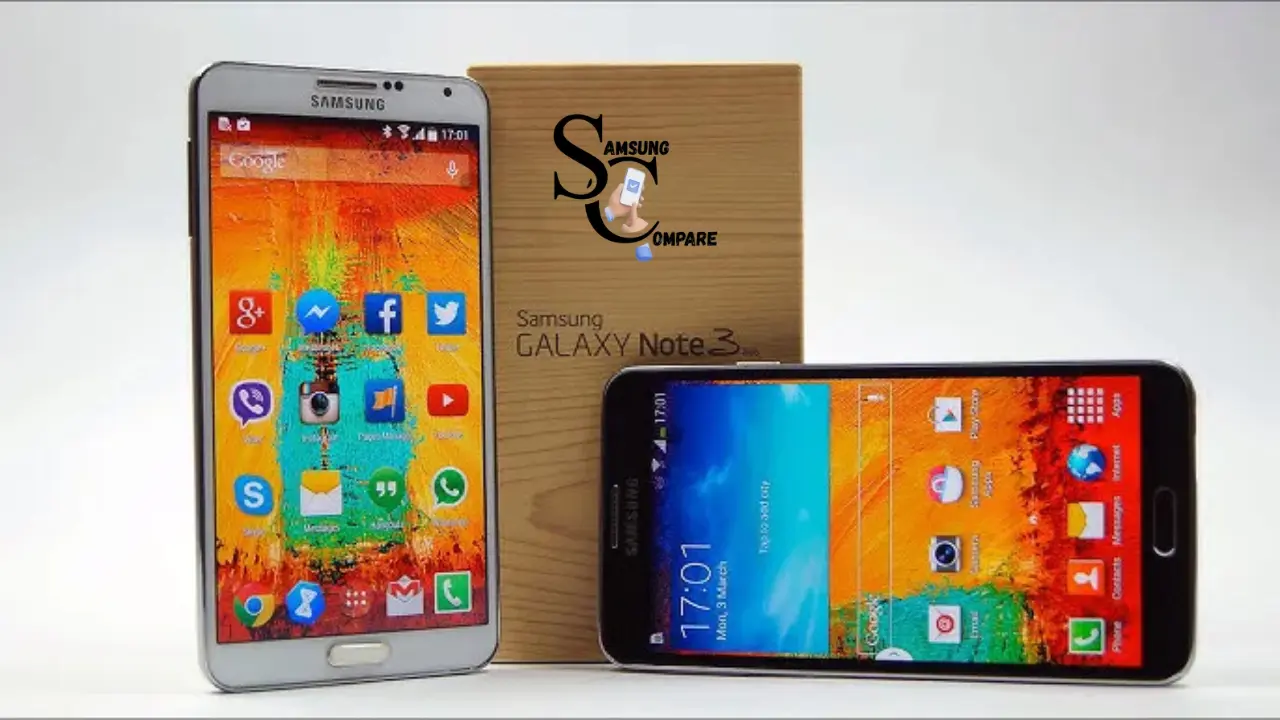
The Samsung Galaxy Note 3 Neo, also known as the Note 3 Lite, was a venture to make the Note line of phones more desirable to a wider audience. While the Note 3 was for those who wanted power, the Neo was for those who wanted a large screen and the ability to get work done without spending a lot of money. It was launched in February 2014. It was in high demand among those who found it useful, looked good, and was affordable. This phone had the same design as the Note 3, with a fake leather finish and stitched details that gave it a classy look, as well as a metal finish that gave it a premium feel despite being made of polycarbonate. The phone was 148.4 x 77.4 x 8.6 mm in size. It weighed 162.5 grams and had a balanced feel in the hand. Small enough to carry around with you, but large enough to watch videos and multitask.
Quick Comparison Table:
| Feature | Note 3 Neo | Galaxy A15 | Moto G Stylus |
| Screen | 5.5″ HD AMOLED | 6.5″ FHD+ | 6.7″ FHD+ |
| RAM | 2 GB | 4-6 GB | 6 GB |
| Camera | 8 MP | 50 MP | 50 MP |
| Battery | 3100 mAh | 5000 mAh | 5000 mAh |
| Price (used/new) | $30-80 | $150 | $200 |
| Stylus | Yes | No | Yes |
Design and Build Quality
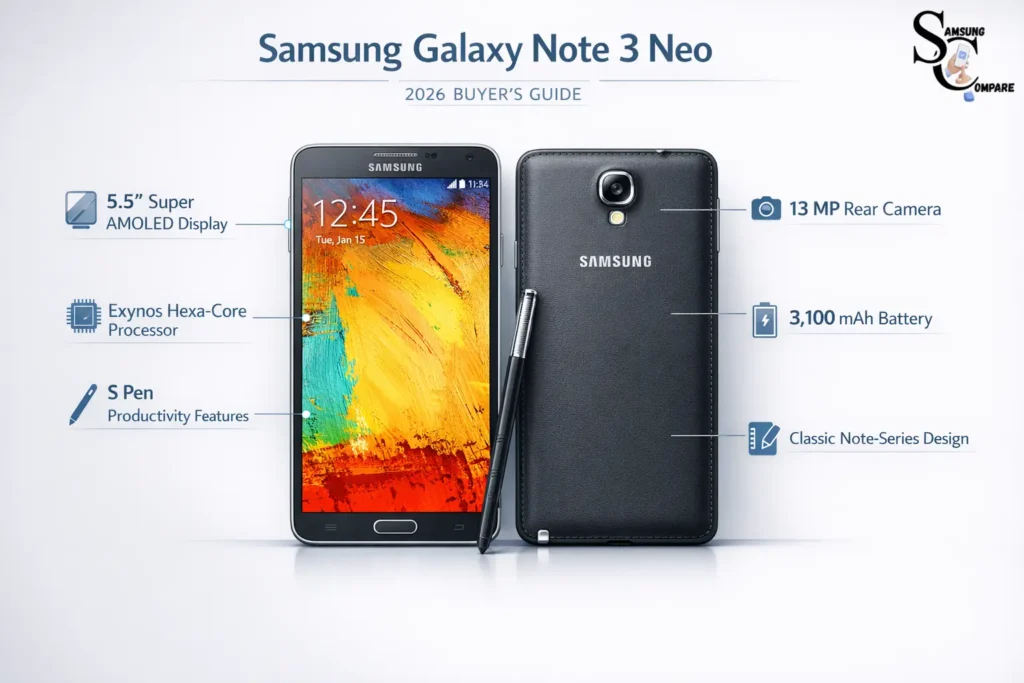
The Galaxy Note 3 Neo was made with a lot of care and consideration to detail, like the high-end Samsung phones of its time. The back cover was designed to look like leather, complete with stitching around the edges, which made it look nice and feel good to hold. It was also removable, so you could swap out the battery. Add more storage. The sides of the phone had a finish that looked nice but didn’t make the phone too heavy. The phone had well-placed buttons: the volume controls were on the left, the power button was on the right, and the navigation buttons were below the screen. There was a notification light at the top, along with some sensors and the front camera. The S Pen was stored in a slot on the bottom right. It came out with a nice click and opened up the Air Command when you took it out. The Galaxy Note 3 Neo was sturdy enough for use, although it didn’t have the official protection against water and dust that some later phones had. The build quality was good. It didn’t bend too much when you pressed on it. It was also quite thin at 8.6 mm, which was thinner than some of its antecedents, like the Note II.
Display Characteristics
The 5.5-inch Super AMOLED display of the phones is the core of the user experience. The intention of the display is 720 x 1280 pixels. This is termed HD. This results in a pixel density of 267 pixels per inch. Although it is not as sharp as the HD display of some other high-end smartphones, it is still adequate for use. The text appears clear, and the icons are well defined. Watching videos is a decision.
Super AMOLED. The thing that really concerns people who use this is the 5.5-inch Super AMOLED technology. It shows nice colors, very dark blacks, and the difference between light and dark is very good, which is what we expect from Samsung’s OLED screens. The colors look a bit too strong sometimes. They can look a bit blue, but you can still see things clearly from the side without much change. The screen is bright enough when you are inside. It can be hard to see outside when the sun is shining directly on it because the screen is a bit shiny and not super bright.
The Samsung Galaxy Note 3 Neo comes with a 5.5-inch Super AMOLED display that is the heart of the user interface. The display supports a paramount of 10 points simultaneously. It is very effective with the S Pen, providing precise results. Although the Display Features a PenTile matrix, which was quite common at the time, it did not have any effect on the display quality of the screen. Try to picture the high-resolution image of the Samsung Galaxy Note 3 Neos display showing the home screen associated with S Pen functionality.
Performance and Hardware Internal
Powering the Galaxy Note 3 Neo was Samsung’s own Exynos 5260 Hexa system-on-chip hexa-core setup blending two high-performance Cortex-A15 cores at up to 1.7 GHz with four efficiency-focused Cortex-A7 cores at 1.3 GHz. This big.LITTLE architecture optimized both demanding workloads and battery conservation. Paired with 2 GB of RAM and Mali-T624 GPU, the chipset handled disorder fluidly, running applications smoothly without noticeable stuttering. Gaming performed admirably for titles of that period, graphics rendering remained responsive, and interface animations stayed buttery. Some regional variants featured Qualcomm Snapdragon processors (quad-core at 1.6 GHz or higher in select markets), but the Exynos version dominated internationally. Benchmarks placed it competitively against contemporaries, though trailing the octa-core Note 3 in raw power. Internal storage started at 16 GB (with roughly 11 GB user-accessible), expandable via microSDXC slot up to 64 GB or higher, depending on card closeness, proving invaluable for media-heavy users.
Software Experience and Features
It came with Android 4.3 Jelly Bean out of the box. Had TouchWiz Nature UX on top of it. Later, it received an update to Android 5.1.1 Lollipop in some locations. TouchWiz introduced some new features, such as the ability to change themes through which you can change the look and feel of the interface, a multi-window mode that allows you to run two apps simultaneously on a split screen, apps that pop up, and an improved Air Command experience with which you can control the S Pen.
Key S Pen functionalities included:
- Action Memo for quick notes from any screen.
- Smart Select to capture and share content portions.
- Image Clip for extracting components from visuals.
- Screen Write for annotations directly on captures.
- Pen Window creates suspended mini-apps.
My Magazine is a cool feature that comes with this. It is like Flipboard, where you can view lots of things in one place. There is also Air View, which allows you to view what is inside something by holding your mouse over it. The gesture for multitasking is very good. Some people might think there are lots of extra features, but it is not that bad to differentiate it from some other things out there.
Camera Capabilities
The camera on the back of the Samsung Galaxy Note 3 Neo has an 8-megapixel sensor. It can focus on things spontaneously. It has a flash. You can record video with it, too. The video is of good quality because it can do 1080p and it can do 30 frames per second. When it is light outside, the pictures look pretty good. They have a lot of detail, and the colors look natural. The Samsung Galaxy Note 3 Neo camera can also get a lot of the assortment of dark and light. When it is dark, the pictures are not as good. You can see a lot of noise in them. The Samsung Galaxy Note 3 Neo camera is still okay to use in the dark. This is because it has technology that helps it work better in the dark. The front camera on the Samsung Galaxy Note 3 Neo is 2 Megapixels. It is good enough for making video calls and taking selfies. The pictures it takes are clear and not too blurry. The Samsung Galaxy Note 3 Neo also has some software that helps you take better pictures. There are things, like beauty modes and perspective shots. There is also something called HDR and some other things that can help you take pictures in different circumstances.
Battery Endurance and Connectivity
The phone has a battery that is 3100 mAh. The battery is Li-Ion. The battery lasts a long time. The phone can last a whole day if used moderately to heavily. You can surf the internet, stream media, make calls, and use the S Pen. The battery does not consume much power when you are not using the phone. The phone is better with Lollipop updates. Samsung phone has features that allow it to compare to other phones. The phone has Wi-Fi, Wi-Fi Direct, Bluetooth 4.0, NFC, A-GPS, GLONASS, FM radio, micro-USB 2.0, and 4G LTE connectivity. Some versions of the phone have 4G LTE connectivity. The phone also has a blaster. This means that you can use the phone as a remote control for some home appliances. The phone has options for connectivity. The S Pen and other functions work well with the congruence options of the phone.
Pros and Cons Summary
Advantages included the premium faux-leather design, exceptional S Pen integration for productivity and inventiveness, vibrant display, solid battery performance, expandable storage, and fluid software experience even years later.
Drawbacks included the 720p resolution (not as sharp as other Full HD options available), average low-light camera performance, lack of USB 3.0 or enhanced video capabilities, and possible overheating through extended, intense use (although this was rare).
Why It Remains Relevant in 2026
included the 720p resolution (not as sharp as other Full HD options available), average low-light camera performance, lack of USB 3.0 or enhanced video capabilities, and possible overheating during increased, intense use.
FAQs
Yes, it can handle basic tasks like calls, WhatsApp, light browsing, and media playback, but modern heavy apps may feel slow.
Yes. The S Pen remains one of its strongest features for note-taking, quick sketches, and productivity tasks.
Officially no. It stopped receiving updates long ago, though custom ROMs may offer newer Android versions.
The 13 MP camera performs fine in daylight but struggles in low light compared to modern smartphones.
Only if the battery has been replaced. Original batteries usually degrade after many years.
Conclusion
The Galaxy Note 3 Neo is a promotion of Samsung’s Productivity-Centric smartphones. It may not be the fastest, or have the best camera, or the latest software, but its large AMOLED screen and S Pen are still a contentment to work with. In 2026, it is a good device for work, a backup phone, or for those who prefer old Note series phones over the latest and considerably more performant ones.
