
Introduction
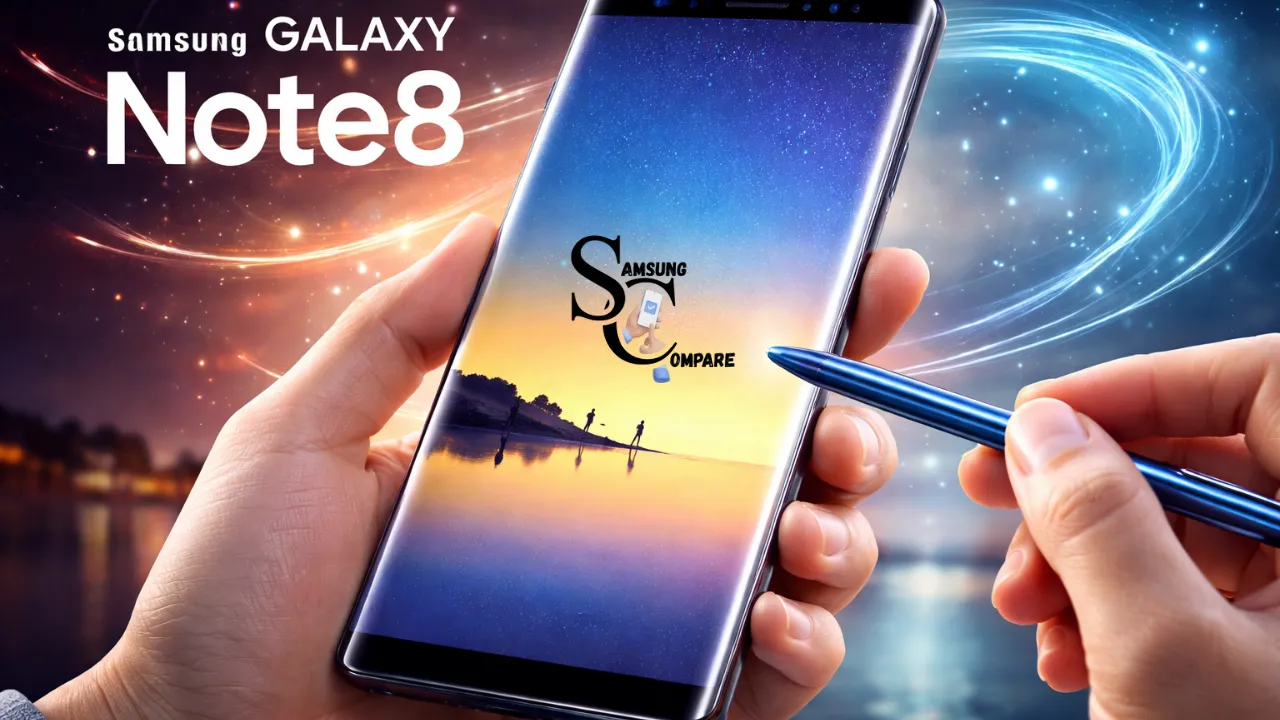
The Samsung Galaxy Note 8 may be a 2017 flagship, but in 2026 it still attracts a very specific type of user: someone who values the S Pen experience, premium design, and affordability over cutting-edge performance.
If you’re considering buying one today—especially refurbished—this guide goes beyond basic specs. It shows you what still works, what doesn’t, and how to avoid costly mistakes when buying or using the Note 8 in 2026.
Why the Samsung Galaxy Note 8 Still Turns Heads in 2026
In a market full of expensive smartphones, the Samsung Galaxy Note 8 stands out as a smart choice for users who want premium features without spending too much. What makes it special even today is the S Pen experience, which still feels unique and useful for daily tasks like note-taking, signing documents, and quick sketches. While it may not compete with modern flagship performance, it delivers solid value for basic use, especially if you buy a refurbished unit with a fresh battery. For students, professionals on a budget, or anyone who loves stylus control, the Note 8 remains surprisingly relevant in 2026.
Quick specs table
Markdown spec table
| Field | Detail |
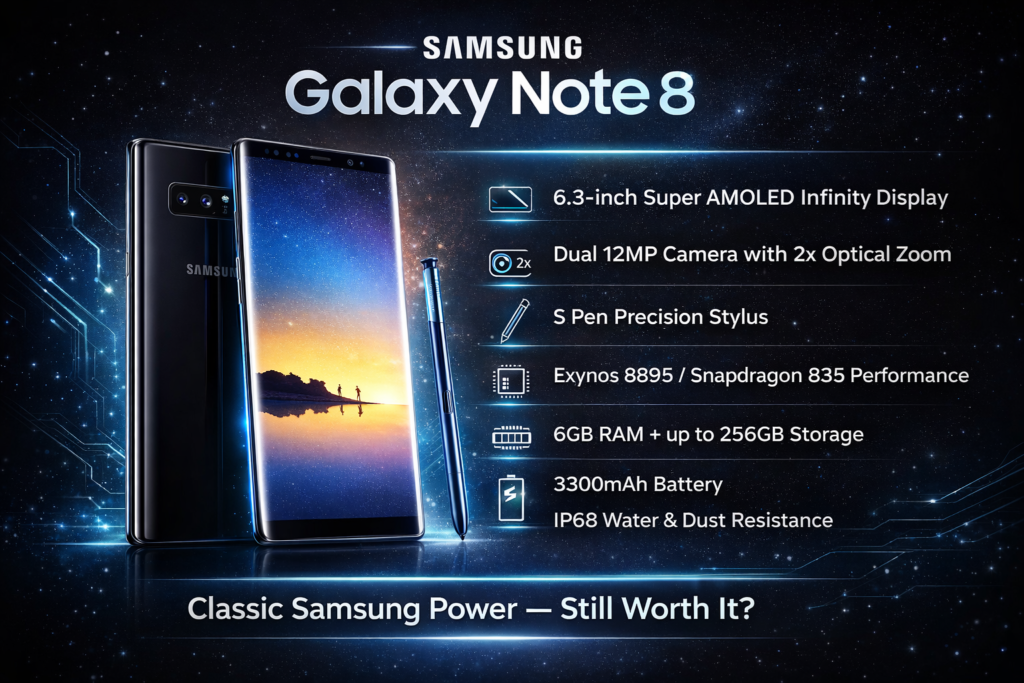
| Model name | Samsung Galaxy Note 8 |
| Release date | 2017-09-15 (regional launch dates vary) |
| SoC | Exynos 8895 (global) / Snapdragon 835 (USA/China) |
| CPU / GPU | Octa-core / Mali-G71 MP20 or Adreno 540 |
| RAM | 6 GB |
| Storage | 64 / 128 / 256 GB (region dependent) + microSD up to 256 GB |
| Display | 6.3″ Super AMOLED, 2960×1440 (Infinity Display), 18.5:9 |
| Rear cameras | Dual 12MP (wide f/1.7 OIS + tele f/2.4 OIS) |
| Front camera | 8 MP, f/1.7 |
| Battery | 3300 mAh,perturbed fast charge, wireless charging |
| OS at launch | Android 7.1.1 Nougat (Samsung Experience) |
| Latest official OS | 3300 mAh, perturbed fast charge, wireless charging |
| Dimensions / Weight | 162.5 x 74.8 x 8.6 mm / 195 g |
| Biometrics | Rear fingerprint sensor, iris scanner, face unlock (basic) |
| Connectivity | LTE (various bands), Wi-Fi AC, BT 5.0 (or 4.2), NFC |
| Extras | S Pen, IP68 dust/water resistance |
| Colors | Midnight Black, Orchid Gray, Deep Sea Blue, Maple Gold (region dependent) |
Design & display what to expect
Design and build
The Note 8 really looks nice now. It has a metal frame with glass on the front and back. The corners are rounded. The screen is curved, making the phone look fancy. The Note 8 has what is called the Infinity Display. This screen goes all the way to the edges of the phone. On the back of the Note 8, at the top left, there are two cameras side by side. The fingerprint sensor follows the cameras. Some people did not like where the fingerprint sensor was placed when the Note 8 came out. They thought it was an idea because when you try to touch the sensor, you might accidentally touch the camera glass and get it dirty.
Materials: anodized aluminum frame combined with Gorilla Glass both in front and back. The back with glass looks good, but is brittle; drop protection and a protective case are a must for used units.
Durability
The Note 8 comes with an IP68 rating out of the box, although this type of protection isn’t needed for daily dust and beating resistance. Over time, the device’s seal to water may not be as effective if repairs or accidental drops have compromised its adhesive or sealants. If buying a used device, the SIM slot and other areas where adhesives are visible should not be Compromised in any way.
Display characteristics and what to check
The 6.3″ Super AMOLED panel delivers strong color, deep blacks, and excellent contrast. Typical checks for used units:
- Look for burn-in or image retention on static UI elements such as status bars, navigation areas, and app headers. AMOLED panels can retain ghost images after years of static content. Hold a solid-color image or white screen and look for uneven brightness or faint shadows.
- Inspect for dead pixels and color consistency issues.
- Verify brightness: older devices may have diminished maximum brightness; test outdoors if possible.
Practical in-person checklist
- Screen: dead pixels, burn-in, discoloration, and responsiveness of touch.
- Back glass: ultrathin cracks, camera glass clarity.
- Frame: dents, bends, or gaps between glass and frame.
- Ports & SIM tray: corrosion, loose connectors.
Performance & battery life
SoC and everyday speed
The Note 8 was running on the Exynos 8895 processor or the Snapdragon 835 processor. Both of these processors are popular for a reason because they were good in 2017. They are good for surfing the web through social media, watching videos, and even doing certain tasks at work. The Note 8 also has certain capabilities, one of which includes the use of two applications on the same screen simultaneously.
However, the Note 8 may not be very good in games or when using many apps at once. The brain and graphics of the Note 8 will begin to reveal their age. This means that the Note 8 will get warm and start to delay opening apps. The Exynos 8895 and Snapdragon 835, which are in the Note 8, will have issues with this. The 6 GB RAM is sufficient for split-screen usage but is lower than the newer flagship offerings. In case of buying a refurbished phone, look for one that comes with minimal bloatware.
Storage types & speed
Storage Speed Matters: UFS is faster than eMMC, and while performance differences may not always be dramatic, they do add up in app launch times and media management. If you can identify the type of storage (Seller label/specifications), it is recommended to opt for devices with UFS storage for faster performance in general use scenarios.
Battery capacity & expectations
Original capacity: 3300 mAh. Batteries age lithium-ion cells lose capacity with cycles and calendar aging.
What to expect:
- Worn battery: 34 hours screen-on time (SOT) with moderate usage.
- Healthy/replaced battery: 46 hours SOT is realistic with light-to-moderate usage.
- Battery replacement is often a cost-effective way to increase usable life and is recommended for owners who plan to keep the device.
Battery checks to perform:
- Ask the seller for battery health reading (if available) or test by using the phone actively for 2030 minutes.
- Check charge cycles if the seller can provide that information (some apps can expose this).
- Test wired charging and broadcast charging for consistency and heating.
Thermal behavior & longevity
Long gaming sessions, benchmarks, or heavy camera usage may heat the device and activate thermal throttling. Occasional warmth is normal; severe overheating or rapid battery drain is a red flag.
Cameras
Hardware recap
The Note 8 marked Samsung’s debut in the Note series with a dual rear camera configuration. While the primary camera was a 12-megapixel lens with a maximum aperture of f/1.7 and Optical Image strengthening, the second camera was a 12-megapixel lens with a maximum aperture of f/2.4 and Optical Image Stabilization.
Strengths
- Strong daylight performance with pleasing color rendering.
- Useful telephoto 2× optical zoom for portrayal and medium-range shots.
- OIS on both lenses helps in low-light stills and stabilized video.
Limitations
- Low-light photography is weaker compared to recent multi-frame computational approaches (multi-frame stacking, large-sensor, pixel-binning).
- No ultrawide lens if ultrawide is important to your photography, Note 8 lacks it.
- Video stabilization and HDR processing have improved in later phones; expect less competent performance by comparison.
Real-world sample shot list
- Daylight wide landscapes (main lens) show color and dynamic range.
- Portrait subject at 2× (tele lens) labeled “2× optical no crop.”
- Indoor, well-lit close-ups show a Particular Bokeh effect.
- Low-light scenes compare Night/HDR mode to auto.
- Selfie sample (front 8MP) example of skin tones.
Photo captions & EXIF
Whenever possible, show EXIF snippets under sample images (shutter speed, aperture, ISO) to build trust for buyers and reveal limitations.
S Pen features that matter today
The S Pen differentiator
For many Note buyers, the S Pen is the primary reason to choose this platform. On the Note 8, the stylus is a refined, pressure-sensitive tool that supports:
- Screen-off memos, jot notes quickly without unlocking the device.
- Air Command an overlay of pen-based actions (Smart Select, Screen Write).
- Precision handwriting is excellent for annotations, signing PDFs, and sketching.
- Pressure sensitivity usable for shading and drawing (artist-friendly at a basic level).
Practical tests for buyers
- Check that the S Pen ejects smoothly and seats securely.
- Test pressure sensitivity by drawing lines of differing pressure.
- Replacing S Pen nibs is economical, and wear is normal and fixable.
- Confirm that software features (Air Command, Screen-off memo) function; older firmware may not include newer One UI features.
Useful S Pen tips
- Keep spare nibs in your kit.
- Use screen protectors that are S Pen friendly (some thick protectors reduce sensitivity).
- For power users, practice competitive techniques that exploit handwriting-to-text conversions and quick note exports to cloud services.
Software, updates & security
Official support life cycle
The Note 8 launched on Android 7.1.1 and shipped with Samsung Experience. Samsung has traditionally provided major OS updates and security reinforcement for a number of years, but the Note 8’s official update window closed years ago in most regions. Official firmware may stop at Android 9 with security update cadence varying by carrier and region.
Practical implications
- Missing modern Android features: Expect no native support for the latest Android UI paradigms and platform-level features present on 20232026 devices.
- Security patches: Security support likely ended; confirm the device’s last security patch date before purchase. If security is crucial, choose a device with recent patches or consider a different, newer phone.
- Custom ROMs: The servicing developer community (LineageOS and others) can extend the usable life by providing newer Android builds. Custom ROMs require technical knowledge, bootloader unlocking, and carry risks: warranty loss, potential instability, and complex setup.
Software checklist for buyers
- Ask for the current Android version and the last security patch level.
- Request a factory reset before procurement to ensure the device is clean.
- Prefer units where the seller has updated to the latest official firmware available for that model and region.
Pros & Cons
Pros
- S Pen productivity: Excellent for notes, sketching, and precise input
- Premium Design: Solid glass-and-metal construct that still feels high-end
- Beautiful AMOLED display: 6.3″ Quad HD+ screen with rich colors and deep blacks
- Dual cameras with OIS:Reliable sunlight photos and true 2× optical zoom
- Wireless charging support: Convenient and still useful today
- IP68 water & dust resistance: Extra protection for daily use
- Expandable storage: MicroSD card support up to 256 GB
Cons
- Old software support:No new official Android assemble
- Aging battery: Most units need a battery replacement for good performance
- Fingerprint sensor placement: Awkward position near the camera
- No ultrawide camera: Limited compared to modern phones
- Not ideal for heavy gaming: Older chipsets grapple with new games
- Screen repairs are expensive: Curved AMOLED panels cost more to fix
FAQs
Yes, if you want an S Pen and a premium build at a low price. For long-term usability, prefer refurbished units with a new battery and a warranty.
Prices vary by region and condition. Expect budget-range prices for worn units; refurbished models with new assortment and warranties command higher value.
Stock capacity is 3300 mAh. Real battery life depends on condition; healthy batteries usually deliver 46 hours of screen-on time with moderate use; worn batteries will be noticeably lower.
Yes, the Note 8 supports Qi wireless charging.
Very capable for handwriting, annotations, and sketches. Pressure sensitivity makes it useful for artists and productivity users.
Official updates ended years ago in most regions. Custom ROMs can provide newer Android builds but require technological steps and carry risk.
Conclusion
The Samsung Galaxy Note 8 is no longer a mainstream choice in 2026—but it’s far from useless. It remains a niche Powerhouse for people who specifically want the S Pen experience without spending a lot.
If you buy it smartly—refurbished, with a new battery, and in good condition—it can still serve as a reliable productivity device, note-taking tool, or backup phone.
