
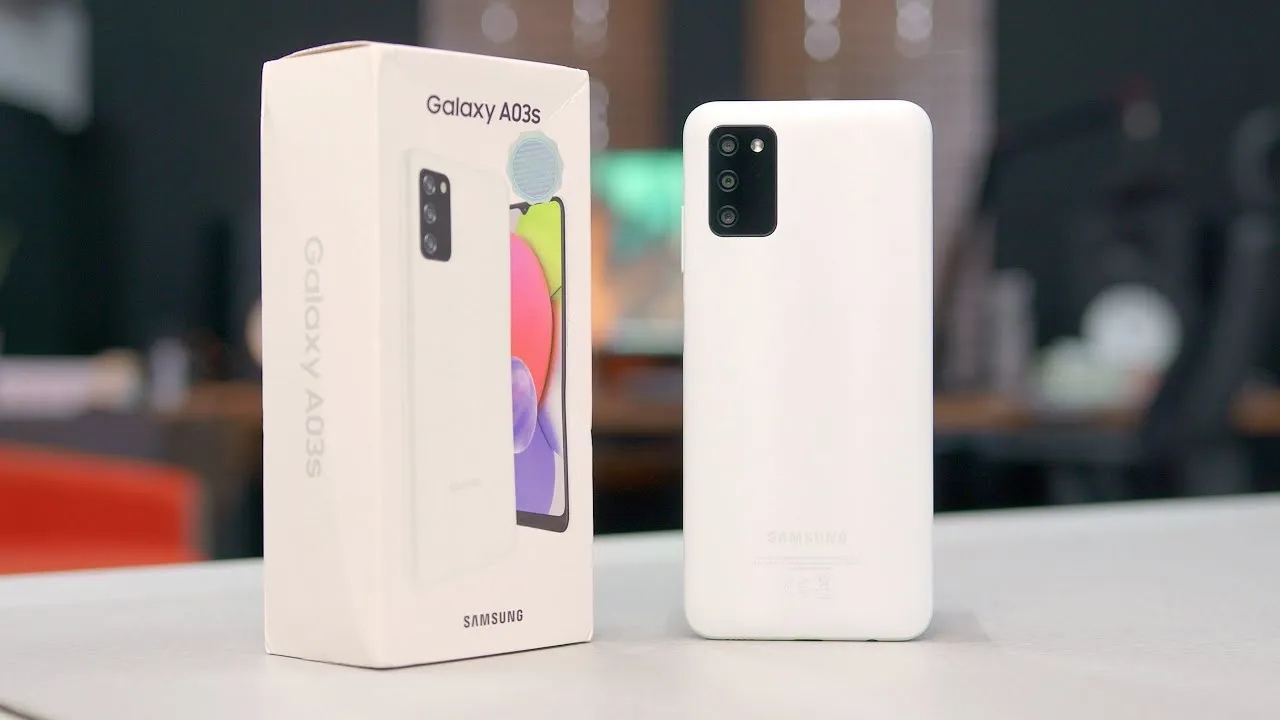
Introduction Of Samsung Galaxy A03s
The Samsung Galaxy A03s is one of Samsung’s most accessible smartphones, designed for buyers who want the essentials without paying flagship-level prices.With a large 6.5-inch display, a massive 5,000 mAh battery, and a straightforward triple-camera setup, the A03s delivers reliable everyday performance for messaging, social media,video streaming, and basic apps.It doesn’t chase the latest bells and whistles; instead, it focuses on delivering long battery life, a comfortable screen for daily tasks, and dependable build quality under the trusted Samsung brand.Whether you’re a student, senior user, or someone looking for a secondary device, the Galaxy A03s aims to be a solid choice in the ultra-budget category.This guide breaks down everything you need to know from detailed specs and real-world performance to who should buy it and how it compares with close rivals.
Why read this guide?
This page is a one-stop resource for all the information you need to know about the Galaxy A03s: detailed specs, real-world performance details, buying guide, comparisons with other budget smartphones, and an FAQ. It is written in simple English so you can make a decision quickly.
Quick specs at a glance
- Display: 6.5-inch HD+ PLS LCD, 720 × 1600 (approx).
- Processor (SoC): MediaTek Helio P35 (MT6765) entry-level octa-core.
- RAM / Storage: 2 / 3 / 4 GB RAM; 32 / 64 GB storage (market dependent); microSD expandable.
- Rear Cameras: Triple 13 MP main + 2 MP depth + 2 MP macro.
- Front Camera: 5 MP selfie.
- Battery: 5,000 mAh (typical). Charging: slow/modest (many SKUs around ~7–10W actual charging rate).
- OS / UI: Shipped with Android 11 / One UI Core on many units; some SKUs received later Android security/feature updates.
- Physical: ~164.2 × 75.9 × 9.1 mm; ~196 g. Colors: Black, Blue, White (market-dependent).
- Extras: Side-mounted fingerprint sensor on many SKUs, 3.5 mm jack, USB-C (varies by region).
Notes: The specification table above imprison the load-bearing facts used in listings and comparison tables use these as the canonical spec block on your CMS and cite Samsung’s regional page and GSMArena for detail pages.
Design & display
Quick summary: The A03s has the look and feel of a typical Samsung budget phone: a functional plastic body that helps keep prices low, with a matte finish that counters fingerprints and a big 6.5-inch screen that’s great for reading and browsing social media. The screen is HD+ resolution only, which is good enough for everyday use but won’t be as sharp as FHD.
Why that matters: With an HD+ (720p) resolution on a 6.5″ screen, the pixel density of ~270 ppi is perfectly acceptable for social media, messaging, and video streaming at standard definition, but not so great if you value pixel-dense UIs and 1080p video quality. Fine text will be softer, and less detail will be visible in high-resolution images compared to mid-range smartphones.
Ergonomics & materials
- Grip & Weight: Around 196 g it feels solid in hand without being cumbersome.
- Materials: Plastic frame and back (standard at this price), which helps keep substitution parts affordable.
- Protection: Most SKUs don’t promise Gorilla Glass; apply a screen protector and use a case if you value scratch resistance.
Real-world tips
- Use a matte case to keep the grip secure; glossy finishes on budget phones attract smudges.
- Reduce font size slightly if you’re reading long documents; the larger screen helps but HD+ means less fine detail.
- If you watch Netflix / YouTube often, expect acceptable streaming but not the same crispness as FHD displays.
Performance & hardware
The chipset
The MediaTek Helio P35 is an entry-level chipset designed to keep costs down while delivering adequate day-to-day performance. It handles calls, messaging, social apps, web browsing, video streaming, and light perturbation competently. Don’t expect high frame rates in demanding 3D games or snappy app-switching when many apps run in the background.
RAM & storage guidance
- 2 GB / 32 GB: Bare-minimum; usable for very light users. Background app reloading and low RAM management will be common.
- 3 GB / 32 GB: Reasonable for casual users who keep a few apps open.
- 4 GB / 64 GB: The best sweet spot if you can afford it, noticeably better for multitasking and storage headroom. Use microSD for media.
Real-world behavior
- Background apps will be killed more aggressively on 2–3 GB variants; closing heavy apps helps.
- Light gamers will be fine, but expect medium-to-low graphics settings and occasional stutter on demanding titles.
- Browsers with many open tabs can slow the phone and keep tabs trimmed.

Benchmarks & practical numbers
- Benchmarks for P35 are modest compared with modern mid-range SoCs. If you want precise scores for a specification table, link to PhoneArena or GSMArena device pages for up-to-date numeric values.
Tips to keep performance steady
- Disable or uninstall bloatware you don’t use.
- Use a lighter home launcher to reduce RAM overhead.
- Keep the system updated security and enhance land occasionally via Samsung’s support channels.
Cameras
Hardware recap: 13 MP main + 2 MP depth + 2 MP macro on the rear; 5 MP front camera for selfies.
Real-world camera behavior
- Daylight: The 13 MP main sensor takes acceptable daytime photos with decent color and contrast for social sharing.Dynamic range and detail are tolerable for casual shots.
- Low light: Expect noise and softer details; there’s no OIS (optical stabilization), so long exposures blur easily. Use available night or scene modes where present and keep the phone steady.
- Portraits: The depth sensor provides background blur for portraits, but edge detection is average. Don’t expect DSLR-like subject separation.
- Macro: The 2 MP macro is fun but low-resolution treats it as a novelty rather than a high-detail tool.
- Selfies: The 5 MP front camera is fine for video calls and casual selfies in good light; it struggles in dim lighting.
Tips for better photos
- Shoot in good light. Budget sensors perform best in daylight.
- Clean the camera lens before execute tiny smudges on cheap cases and packs are common and degrade quality.
- Use HDR where available to improve dynamic range in high-contrast scenes.
Battery & charging
Key fact: 5,000 mAh battery is one of the A03s’s strongest selling points. This is a large cell for the price class and drives excellent endurance.
What to expect
- Light users: 2+ days (calls, texting, light social apps).
- Moderate users: 1.5–2 days (streaming short videos, social, moderate camera use).
- Heavy users: ~1 day (gaming, long streaming sessions).
Charging speed & practical notes
- Charging isdeliberately modest on this model; many official listings and hands-on reviewers note a lower charging wattage (around 7–10W on many SKUs). That means a full charge can take several hours overnight.
Battery-saving tips
- Enable battery saver during busy days.
- Reduce screen brightness or use adaptive brightness.
- Use Wi-Fi instead of mobile data where possible to save energy.
Software & updates
Shipping OS & One UI Core
Most Galaxy A03s models were launched with Android 11 and One UI Core (a stripped-down version of Samsung’s One UI software, optimized for budget phones). Regional SKUs differ, and Samsung has rolled out some maintenance/security updates and later firmware updates for some models.
Update policy
The usual practice of Samsung supporting multiple upgrades of the Android version is common in mid-range and flagship models; the entry-level A series models, such as the A03s, receive security patches and sometimes feature or firmware updates, but not necessarily multi-year operating system upgrades. For the latest information on the policy and firmware support, refer to Samsung Support for your specific model number (SM-A037F, for example).
Practical software tips
- Remove or disable preinstalled apps you don’t use to free RAM and storage.
- Use Samsung’s Smart Switch to back up before upgrading firmware.
- Check the Samsung regional support page for firmware downloads and release notes for your model.
Variants, price & where to buy
Common memory configurations: 2/32, 3/32, 4/64 (availability varies by region).
Launch & availability: Announced August 2021 and rolled out regionally (Samsung India and other country-specific launches in August–September 2021).
Price guide
- Launch price: Ultra-budget bracket (often under $150 in many markets at launch).
- 2026 landscape: By 2026 you’ll typically find a mix of refurbished/clearance/new-old-stock units; prices vary by region. For the most accurate snapshot, link to your local Samsung product page and major retailers and include a date_checked stamp on your CMS. Use Seller+SKU pages (e.g., Samsung’s product page, Amazon, Flipkart) for live prices.
Where to buy
- Official Samsung product page for your region (best for warranty & service).
- Major retailers (Amazon, Flipkart, local e-tailers) include price snapshots and date_checked.
- Trusted used marketplaces for second-hand units verify IMEI and battery health.
Buying advice
- If you need warranty/support: buy new from Samsung or authorized retailers.
- If you’re on a tight budget: refurbished or used can be fine, but check battery cycles and cosmetic condition.
- Best variant to buy: 4 GB / 64 GB if available; otherwise 3/32 + microSD is a practical compromise.
Who should buy
- Students & budget buyers: Need solid battery life and reliable daily performance at low cost.
- Seniors & first-time smartphone users: Large screen, simple UI, and long battery life make it easy to use.
- Casual social users: Great for messaging, quick photos, and streaming short videos.
- Not for: Power gamers, Creators Relying on top-tier cameras, or users needing long-term major Android upgrades.
Comparison vs close rivals
| Model | Display | SoC | RAM/Storage | Battery | Best for |
| Samsung Galaxy A03s | 6.5″ HD+ | Helio P35 | 2/3/4 GB; 32/64 GB | 5,000 mAh | Battery life + brand support. |
| Samsung Galaxy A03 | 6.5″ HD+ | Entry SoC (varies) | up to 4/128 | 5,000 mAh | Slightly different camera / memory options. |
| Xiaomi Redmi 9A / 10A | 6.5″ HD+ | MediaTek / Unisoc | similar | 5,000 mAh | Often cheaper; similar performance. |
| Realme C-series | 6.52″ HD+ | Entry SoC | similar | 5,000 mAh | Sometimes faster CPU or faster charging on some SKUs. |
Pros & Cons
Top pros
- The large 5,000 mAh battery has excellent endurance.
- Big 6.5″ screen, easy reading & streaming.
- Very affordable, strong value for basic users.
- Expandable storage (microSD).
- Side-mounted attribute sensor on many SKUs.
- Samsung brand & support presence.
- The 3.5mm headphone jack is convenient for wired audio.
Top cons
- Low-resolution HD+ screen not as sharp as FHD rivals.
- Entry-level Helio P35 not suited for heavy gaming.
- Slow charging speeds (often ~7–10W).
- Basic camera instrument average low-light and detail.
- Limited long-term OS updates vs mid/high-end Samsung phones.
FAQs
A:But if you are looking for a very cheap smartphone with great battery life and decent app functionality, absolutely, it still makes sense as a primary smartphone for casual users or as a reliable secondary smartphone. For gaming, high-definition video, or professional-grade photography, newer FHD/5G mid-range smartphones will provide a better experience.
A:Typical results: light users (2+ days), moderate users (1.5–2 days), heavy users (~1 day). The 5,000 mAh battery is one of its strengths.
A:Yes it supports microSD expansion (often up to 1 TB on many SKUs). This is particularly useful for 32 GB models.
A:Most A03s SKUs do not have 5G. NFC availability varies by region and SKU checks your model page on Samsung’s regional site before buying.
A:Many units were launched on Android 11 (One UI Core). Some SKUs have received further updates (security patches, Android 12 firmware has rolled out for some regions) – check Samsung Support for the exact build for your device (e.g., SM-A037F).
Final Verdict
The Samsung Galaxy A03s is an option for those who are looking for a device that offers great benefits for money and a battery life that lasts long. The Samsung Galaxy A03s comes with a screen size of 6.5 inches and a massive battery of 5,000 mAh. This makes the Samsung Galaxy A03s ideal for use throughout the day to view things, on the internet, view videos, and send messages. The Samsung Galaxy A03s also comes with storage that is expandable and an interface that is easy to use since it is from Samsung. It may not be ideal for those who are heavy gamers and those who are into taking pictures, but for a smartphone that is used for basic needs and on a Tight Budget, the Samsung Galaxy A03s performs well.
