
Introduction
Fresh off the 2015 release, the Galaxy S6 and S6 Edge shifted how Samsung built its flagships. Out went the plasticky look, replaced by sleek metal Brders Paired with glossy glass rear panels. Suddenly, these devices carried a weight and shine that felt far more upscale. That year, Samsung began chasing elegance instead of just specs.
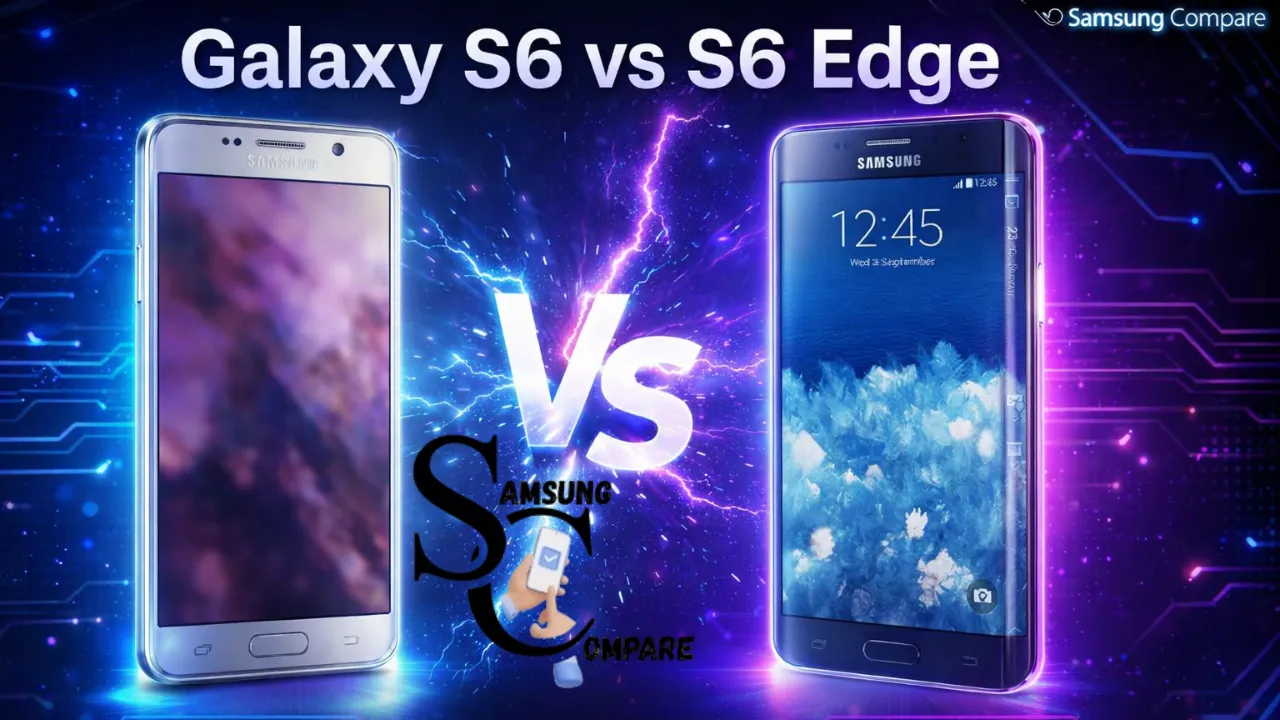
One thing stands out right away about these phones – they seem like twins at first sight. Same strong insides, same sharp cameras, same clear screen. But here it changes – the S6 sticks with a regular flat panel. The S6 Edge bends its screen outward along the edges, making it different without saying so.
A tiny shift in how it looks forces a tough pick, still true by 2026. Flat panels work better day to day, simpler to handle – yet that bent screen pulls attention, brings extra tricks, feels fancier somehow.
Why this comparison matters
A shift in materials marked Samsung’s 2015 turn to metal and glass, which replaced plastic, shaping two versions of the S6. One stayed flat; the other bent at the edges, each carrying nearly identical guts. Yet subtle differences emerge through that curved display, altering how it fits in the hand, what cases work, even which fans seek one over the other. Software tweaks on the Edge add slight twists to daily use. For anyone picking up either model years later – or documenting their place in tech history – a grounded look at build choices, speed, photo results, power life, and fix expenses makes all the difference.
What changed from the S5 to the S6 family
The Galaxy S5 had a plastic build, letting users swap the battery and add storage. Then came the S6 series – Samsung shifted toward sleeker construction using metal and glass. This time around, no more pulling out the battery or popping in extra memory cards. Instead, the new look brought tighter assembly and a fancier touch. Still, fixing it later became harder, and old accessories stopped working well. Launch details dropped in March 2015, with phones arriving worldwide by April. Coverage at the time focused on that polished shift, especially highlighting the curved-screen version. Design goals were clear: elevate appearance while redefining what a flagship meant.
Not long after hitting stores, the S6 Edge picked up several design trophies thanks to its screen bending on both sides – a fresh look for high-end phones. Meanwhile, the regular S6 stuck with a straight, flat face, aimed at those who like balanced shapes and cases that snap on without fuss. Across the U.S., early buyer details and shelf dates backed up a release set for April 10th. First access came through select phone companies and big electronics sellers.
Design & feel: flat vs curved
Build materials and hand feel.
- Galaxy S6 (flat): Aluminium frame + glass back, 5.1-inch QHD Super AMOLED (1440×2560). Thin, light, and symmetric Straightforward ergonomics for most hands. (Exact specs table below.)
- Galaxy S6 Edge (curved): One material mix returns – metal body, glass face – but here the screen bends around the sides, making edges seem thinner at a glance. A sweep of curved pane alters touch points where fingers rest; grip shifts subtly, influenced by whether a cover is snapped on. Shape plays tricks on width perception, sometimes slicker, occasionally snugger.
Pros & cons
- S6 Pros: Easier to protect (flat screen protectors fit cleanly), cheaper replacement parts in many markets, and a symmetrical look that many users prefer.
- S6 Edge Pros: Unmistakable premium look, “People edge” and edge-ticker features for quick access to contacts and notifications, higher collector appeal and standout colours/finishes.
- Shared cons: Both have glass backs that can shatter when dropped; both lack user-removable batteries and microSD slots (tradeoffs for the unibody design).
Practical note: Curved screens mean most standard covers just won’t fit – those with an Edge usually hunt down options built for their exact version. Fixing a cracked display gets trickier, too, because that bent glass demands more precise work, which shows in the price tag. When it first arrived, critics paid close attention to how it felt in hand, noting details others might miss. Their early thoughts on its look and touch still hold up.
Key specs at a glance
The table below lists the core launch specs used for the comparison. Use the spec links in “Sources” for copy-and-paste canonical values when publishing.
| Category | Galaxy S6 (flat) | Galaxy S6 Edge (curved) |
| Display | 5.1″ QHD Super AMOLED (1440×2560) | 5.1″ QHD Super AMOLED (1440×2560), dual curved edges |
| SoC | Exynos 7420 Octa (14 nm) | Exynos 7420 Octa (14 nm) |
| RAM | 3 GB LPDDR4 | 3 GB LPDDR4 |
| Storage | 32 / 64 / 128 GB (no microSD) | 32 / 64 / 128 GB (no microSD) |
| Rear camera | 16 MP, f/1.9, OIS | 16 MP, f/1.9, OIS |
| Front camera | 5 MP, f/1.9 | 5 MP, f/1.9 |
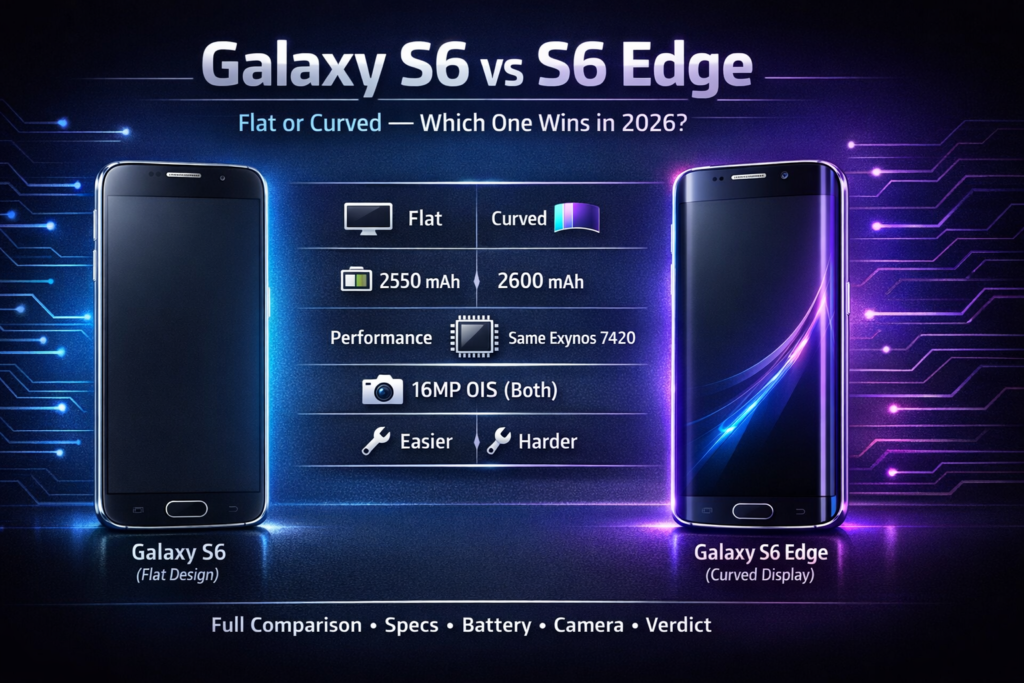
| Battery | 2,550 mAh | 2,600 mAh |
| Charging | Fast wired charging; wireless charging support | Fast wired charging; wireless charging support |
| Weight | ~138 g | ~132 g |
| Release | April 2015 (global rollout) | April 2015 (global rollout) |
(Primary spec aggregation: manufacturer and canonical spec pages plus community-maintained references.)
Performance: real life vs numbers
Back in 2015, Samsung put out the Exynos 7420, built on a 14-nanometer design – suddenly much more efficient than older models while pushing ahead in solo core speed. If you look up old results saved on well-known benchmark trackers, devices like the S6 Series stood at the top when handling one task alone, though their group processing rankings ran close to others across high-end Android phones then. When it comes to actual digits or typical Geekbench outputs, head over to preserved phone profiles online.
Practical notes
- Everyday use in 2026:A kept-up S6 or S6 Edge might handle calls, emails, basic web surfing, texts, or social media without much trouble – particularly when using a slim launcher or a regularly updated custom ROM that includes up-to-date protections.
- Limits: Heavy 3D games tend to push these phones to their limits, especially when juggling AI-powered photo tweaks at the same time. Running several apps behind the scenes? That often leads to delays in opening new ones. Performance hiccups pop up more than you’d see on newer mid-tier or top-end chips.
- Thermals & throttling: When pushed hard over time, some older chips built on 14-nanometer tech start to slow down, especially in sleek glass-and-metal bodies that trap heat. Long stretches of intense work – like marathon gaming or rendering videos – tend to expose those limits. Newer gadgets handle the strain without breaking rhythm.
If you plan to list benchmark numbers on a product page, link to a few representative Geekbench results and make clear they are launch-era metrics, not modern comparisons.
Battery life & charging
- Capacities: S6 = 2,550 mAh; S6 Edge = 2,600 mAh. These were reasonable in 2015, but modest by 2026 standards.
- Real-world 2026 expectations: Shorter screen time expected compared to today’s phones. Old batteries rarely hold their full charge anymore; never trust old specs blindly. When checking a secondhand unit, demand real battery readings or try it yourself by doing usual tasks.
- Charging: Starting with power perks, both phones handle quick cable charging along with contactless top-ups. When they first arrived, Samsung claimed ten minutes on the plug could deliver around four hours of activity – though actual outcomes depend on what charger you use and how worn your battery is.
Buying tip: Prefer units with battery replacements or budget to replace the battery with a fresh OEM or high-quality third-party replacement, which will materially improve day-to-day usability.
Cameras: everyday shots & low light
The S6 and the S6 Edge share a 16-megapixel back camera, built around a roomy f/1.9 lens plus optical image stabilisation. Right out of the gate, it was tuned for speed – snappy startup times, rapid focus shifts, solid results in sunlight, especially when posting online. When the lighting dims, that wide aperture, combined with steady-hand tech, kept things usable. Still, today’s handsets stack multiple shots, apply smart software tricks, pulling ahead in detail balance and cleaner night images.
Practical guidance for writers/reviewers:
- Collect full-resolution samples: daylight, shade, indoor, low-light, and HDR scenes. Host 1:1 crops for readers to inspect noise and detail.
- Label and name files consistently and include EXIF notes where possible.
- When compared to modern phones, show matched compositions and explain differences caused by sensor size, pixel processing, and algorithmic enhancements.
For launch-era camera impressions and hands-on notes, see contemporary reviews.
Repairability & durability
Samsung’s move to glass and metal made the S6 family premium but more difficult to service. Teardowns show that many components are glued or heat-bonded, increasing repair complexity:
- iFixit scores: One way to start: inside each teardown – S6 and S6 Edge – you’ll find clear steps alongside real user thoughts on repair ease. Since the edge display bends, opening the device gets trickier, which often leads to a modest drop in its fixability score. When crafting a piece or recommendation list, pull details straight from those teardowns. Pricing matters too – list what it usually costs there to swap screens or rear glass, based on where readers live.
Common failure points
- Back glass shattering on drops (common).
- Screen damage: Edge glass is more expensive and harder to source in some regions.
- Battery wear: glued-in cells require careful disassembly to replace.
- Water resistance: none of the S6 variants had IP68-level resistance at launch; assume caution around liquids.
Repairability checklist for a listing page: include approximate screen replacement cost, battery replacement cost, and whether the seller has replaced key components with OEM parts.
Software & updates
Started life on Android 5.0.2 Lollipop, paired with Samsung’s TouchWiz interface – eventually renamed Samsung Experience. Updates came steadily at first, including two big Android upgrades and regular security fixes stretching across multiple years. Yet full backing from Samsung stopped well ahead of 2026. To keep it running smoothly today, some turn to home-built systems like LineageOS or similar modified operating layers. These bring newer features and protection updates, though installing them isn’t straightforward, demands know-how, and wipes out whatever warranty might have lingered.
Publishing note: If you add “is this supported?” to your FAQ or product page, explicitly state the last official Android version Samsung shipped and mention popular community ROM options as alternatives.
Price & used-market value
Samsung does not sell these models anymore (they were discontinued years ago). In 2026, your realistic sources are:
- Used goods often show up nearby, through small resale stores or community listings online. OLX hosts some of these finds. Others appear in neighbourhood-focused Facebook groups where people trade items directly. Locations shift constantly, yet most stay within reach.
- Finding secondhand smartphones? Try eBay. Platforms like Swappa Step in, too. Each site hosts buyers and sellers. One person’s old device becomes another’s deal. Transactions happen daily across these digital spots. Used models change hands often here.
- Some sellers provide phones sorted by condition – near new, well-kept, or showing wear. Machines arrive marked based on how they look after testing. Each level tells you what flaws to expect before buying. Quality shifts slightly between grades, but all work properly. You pick depending on your budget and patience for small marks.
Important: Prices shift based on where you are, how much storage a device has, its shape – like battery life or cracked screens – and if pieces inside came from the original maker. Instead of guessing, grab recent pricing from the three main sites your users check often, then display common cost bands per quality level.
Which should you buy? Decision matrix
Buy the Galaxy S6 (flat) if:
- Finding a case that slips on without hassle matters more when you pick basic screen shields. Flat ones just slide under budget covers better. Cheaper shells tend to hug those sleek surfaces tighter.
- For identical components, consider buying secondhand to save a bit. A previous owner’s loss becomes your gain when prices dip below retail.
- Fine comfort matters to you, and easier fixes. While smooth handling counts, so does clear access when things need mending.
Buy the Galaxy S6 Edge if:
- You value the unique curved look and “edge” features like People Edge and edge notifications.
- You care about collector appeal and want a phone that stands out visually.
- You’re prepared to pay a small premium for Edge-specific accessories and potentially higher repair costs.
Simple decision flow: If you prioritise looks and don’t mind paying a premium for design, pick the Edge. If you prioritise practicality, pick the flat S6.
FAQs
A1: Hardware is almost identical; the main difference is the Edge’s wraparound curved display and software edge features (People Edge, info tickers), plus slight weight/feel differences.
A2: The S6 Edge has a slightly larger battery (2,600 mAh vs 2,550 mAh), but in real life the difference is minimal. The condition of the used battery matters more in 2026.
A3: Official support ended years ago. Community ROMs exist but require technical skills to install.
A4: No, the batteries are glued in and not user-removable. Battery replacement is possible but requires opening the phone carefully or using a professional service.
A5: The flat S6 is marginally easier to repair than the S6 Edge. iFixit teardowns show the Edge is more complex due to its curved glass.
Longform conclusion
Both the Galaxy S6 and the Galaxy S6 Edge marked Samsung’s strong move to premium materials and improved cameras in 2015. If you want a collector’s glance and a phone that stands out, the S6 Edge is the premium pick. If you prefer easier accessories, Slightly Simpler repairs, and a lower used price for the same internal hardware, the flat S6 is the pragmatic choice. When publishing or recommending a purchase, verify used prices, battery condition, cosmetic damage, and repair costs before you link to a buy page; those factors materially change the recommendation.
