
Overview: Why this comparison matters
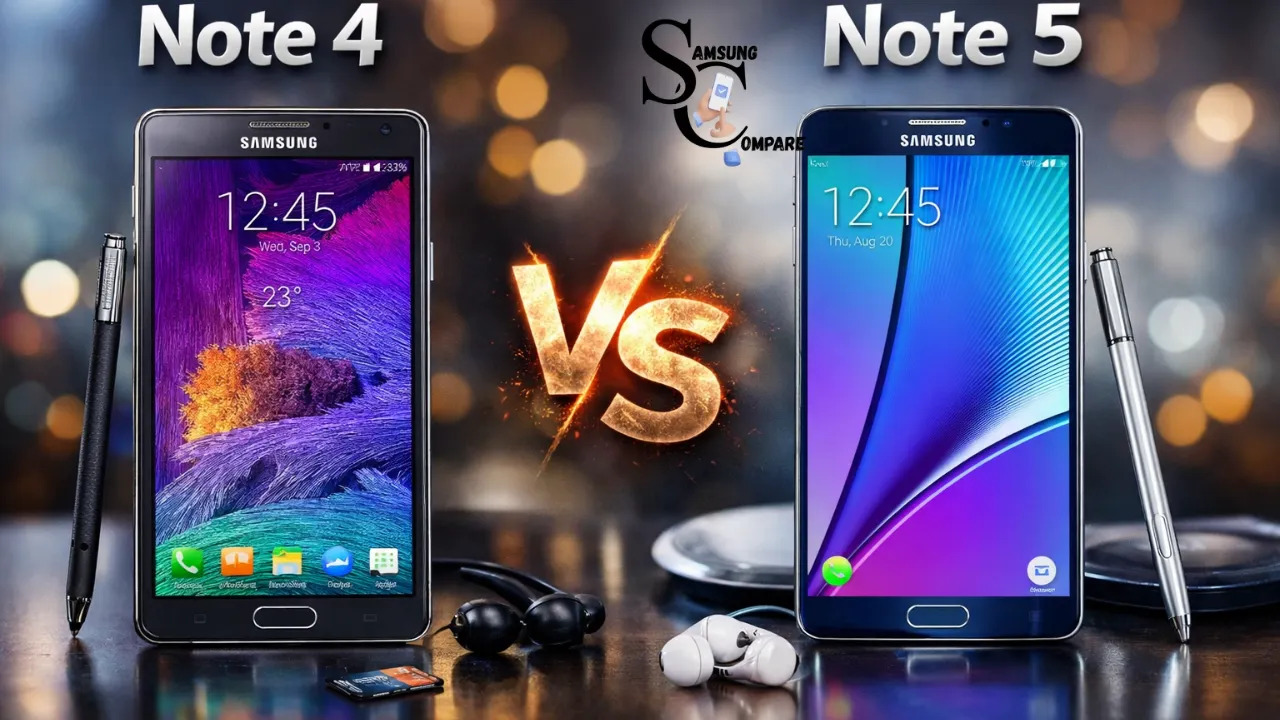
The difference between the Samsung Note 4 and the Samsung Note 5 is significant. It is not about the Samsung Note 4 and the Samsung Note 5 having better hardware. The Samsung Note 4 was all about practical existence. You could take out the battery. Put a new one in. You could also add storage by using a microSD card. If something broke, it was easy to fix.
The Samsung Note 5, on the other hand, was quite different. It had nice materials, and you could not take out the battery. You could also not add storage since it did not come with a microSD card. The S Pen, however, came with the Samsung Note 5 and proved to be quite nice to use. People are still unavailability to know about the Samsung Note 4 and the Samsung Note 5 because they want to know which one of these two devices is better for them. They want to know whether they should use the Samsung Note 4, since it is flexible, or the Samsung Note 5, since it is more refined. This matters if you use the Samsung Note 4 or the Samsung Note 5 for a while. This also
Quick specs table, fast facts
| Feature | Samsung Galaxy Note 4 | Samsung Galaxy Note 5 |
| Release Year | 2014 | 2015 |
| Display | 5.7″ Quad HD Super AMOLED (2560×1440) | 5.7″ Quad HD Super AMOLED (2560×1440) |
| Processor | Snapdragon 805 (typical) / Exynos variants | Exynos 7420 (or region Snapdragon) 14nm |
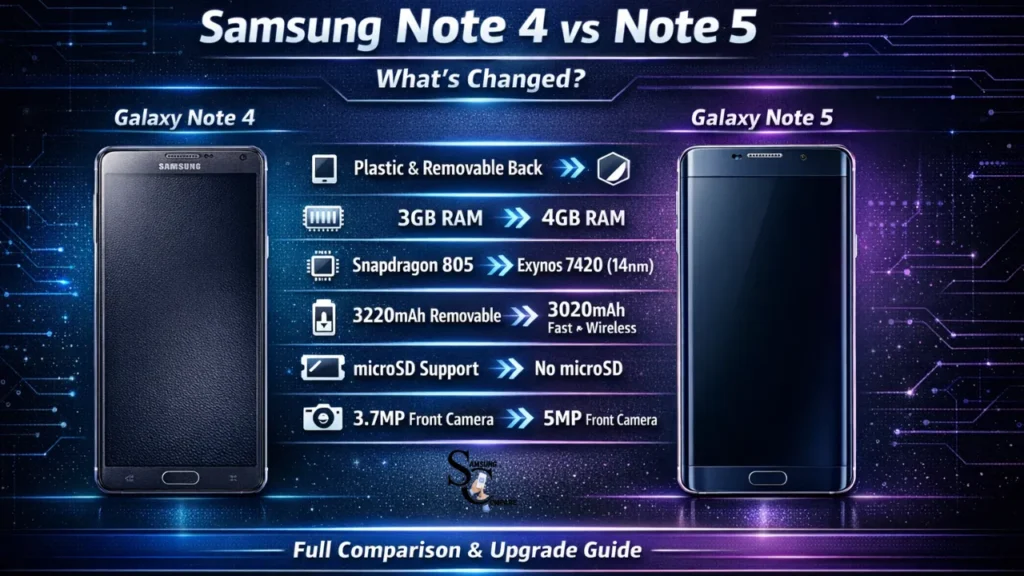
| RAM | 3 GB | 4 GB |
| Storage | 32/64 GB + microSD | 32/64 GB no microSD |
| Rear Camera | 16 MP with OIS | 16 MP with OIS (improved processing) |
| Front Camera | 3.7 MP | 5 MP |
| Battery | 3220 mAh removable | ~3020 mAh non-removable, fast & wireless charging |
| Build | Plastic frame, removable faux-leather back | Glass & metal unibody, slimmer |
| Biometric | Swipe sensor | Touch sensor (home button) |
| S Pen | Yes full features | Yes refined experience |
| Weight / Feel | Slightly chunkier, tool-friendly | Slimmer, premium feel |
Note: The spec snapshot above is pulled from manufacturer pages and trusted reviews; use the EEAT links at the bottom of this article when publishing.
Design & build: looks, feel, and repairability
Short answer
Note 4 = practical and repairable. Note 5 = premium and delicate.
Detailed comparison
Materials & fit: The Note 4 uses a plastic frame and a removable back (textured faux-leather on many variants). It’s adhesive and forgiving: drop it, and you can often replace the back or battery without a trip to a repair shop. The Note 5 moved to glass on the back and a metal frame; it looks and feels like a modern flagship, but it’s more fragile and slippery, so a case becomes essential.
Thickness & ergonomics: The Note 5 is thinner and often feels better in one hand despite an identical screen size. The slimmer edges and attenuated profile helped Samsung modernize the Note line. That said, the Note 4’s chunkier profile can feel more rugged and balanced when carrying spare batteries or microSD cards.
Repairability: The Note 4 is far easier and cheaper to repair. Battery swaps are user-serviceable. The Note 5’s sealed design requires heat and adhesive removal; battery replacements cost more and are best performed by professionals.
Practical trade-offs: If you like swapping batteries during long trips or fieldwork (construction, geological fieldwork, travel with limited outlets), the Note 4’s removable battery is a literal lifesaver. If you prize first impressions, instalment finish, and a lighter feel in the hand, the Note 5 is superior.
Display & multimedia
Both phones share a 5.7-inch Quad HD Super AMOLED panel with identical resolution (2560×1440), so pixel density and sharpness are constructively the same. Yet small software and calibration differences produce subtly different viewing experiences.
Color & calibration
Note 5 shipped with slightly improved color tuning and a warmer, more neutral default profile. Meaning: photos and video regularly look a little more natural out of the box on Note 5, with less oversaturated blues/greens than some Note 4 configurations.
Brightness & outdoor visibility
Note 5 often has a small edge in peak brightness and Dynamic Contrast, making it easier to view in bright sunlight. If you use the phone outdoors, this will be noticeable.
Touch response & smoothness
Samsung refined the touch stack on the Note 5: touch latency, scrolling fluidity, and subtle spiritedness performance feel smoother. For gaming and fast UI interaction, the Note 5’s combination of hardware and software tweaks yields a cleaner experience.
Multimedia conclusion
For watching videos, streaming, or photo editing, you’ll notice minor but pleasant refinements on the Note 5. If display quality is your #1 factor, the Note 5 wins, but the difference is subtle, not night-and-day.
Performance & real-world speed
This is where the Note 5’s hardware stance becomes most significant.
Raw hardware differences
- Note 4: Snapdragon 805 or similar-class SoC + 3 GB RAM. Good for its time, but limited in sustained loads and heavy multitasking.
- Note 5: Exynos 7420 (14nm) or regional Snapdragon variant + 4 GB RAM. The Exynos 7420 represented a generational jump in efficiency and multi-core performance.
What does that mean in practice?
- App switching & multitasking: Note 5 holds more apps in RAM and reloads fewer background apps. Switch between Chrome tabs, messaging apps, and music players; the Note 5 retains context far better.
- Sustained performance: 14nm process improves thermal suffocation and energy efficiency. Long gaming sessions show fewer frame drops on the Note 5.
- Storage speed: Note 5’s UFS-style internal memory (depending on region) reads/writes faster than many older Note 4 variants’ eMMC storage, reducing app load times and speeding up installations.
Real user scenario
If you open 8–12 Chrome tabs, run a streaming app, and play a graphically intensive game, the Note 5 will keep your sessions stable longer and switch apps faster. On Note 4, background apps will reload more frequently, and you’ll see more pauses.
Camera: photos and video
Both phones use 16 MP rear sensors with OIS, but image results are heavily influenced by sensor tuning and post-processing.
Daylight shots
Daylight detail is close on both devices. Both render fine detail well; colors are slightly different depending on manufacturer tuning and firmware.
Low-light performance
Note 5 typically performs better in low-light due to improved sensor pipeline and processing cleaner shadows, less aggressive noise depletion, and better highlight control. The Note 5’s ISP and software produce more usable images under tricky indoor or evening conditions.
Autofocus & speed
The Note 5 saw faster camera launch and quicker autofocus lock, a real benefit for capturing fleeting moments.
Selfies and front camera
Note 5’s 5 MP front camera outperforms Note 4’s 3.7 MP shooter for video calls and front-facing photos with clearer details and improved low-light selfies.
Video capture
Both can record quality 1080p/4K-limited footage for the time being, but stabilization and processing on the Note 5 feel better in practical handheld shooting.
Practical guidance
If you heavily rely on nighttime photography or Prioritize Consistently usable photos without editing, the Note 5’s camera processing is worth the upgrade.
Battery life, charging, and practical battery tips
Capacity vs efficiency
- Note 4: A 3220 mAh removable battery is practical for long days and carry-a-spare usage.
- Note 5: ~3020 mAh non-removable battery, smaller on paper, but paired with a more efficient 14nm SoC.
Real-world outcomes
Many real-life tests show that daily battery life between the two is comparable thanks to the Note 5’s efficiency gains. However, the experience diverges in flexibility:
- Note 4: Swap batteries instantly for extended use without charging. Ideal for travel, remote work, or fieldwork.
- Note 5: Supports fast wired charging and wireless charging for satisfaction and top-ups. If you have access to power, quick charges are more convenient.
Charging convenience
Note 5 supports faster top-ups and wireless charging, great for quick boosts during short breaks. Note 4’s advantage is the physical swap: no need for outlets.
Tips to maximize battery on Note 5 (and Note 4)
- Lower screen brightness or use adaptive brightness.
- Turn off Always-On display when not needed.
- Limit framework data for non-essential apps.
- Disable unused radios (NFC, Bluetooth) when idle.
- Use Wi-Fi instead of mobile data when possible.
- Use a fast charger for short top-ups, and avoid deep discharges regularly.
Which is better?
If you rely on instant battery swaps (no access to power), the Note 4 is superior. If you want convenience and modern charging features, the Note 5 wins.
S Pen & productivity: what changed, and what matters
The S Pen is the defining feature of the Note family. Both devices are strong stylus platforms, but the Note 5 refined the experience.
What the Note 5 improved
- Lower latency & smoother ink rendering: Notes feel more responsive.
- Screen-off memo: Take quick notes without unlocking the device, a true micro-UX win.
- Air Command polish: Faster footways and tighter app actions.
- Pen ejection mechanics: The physical feel of removing the pen is more satisfying and reliable.
What the Note 4 did well
- Core note-taking, annotation, handwriting-to-text, and PDF markup were already excellent. If you only occasionally use the stylus, the Note 4 covers 90–95% of typical workflows.
Who benefits most from Note 5?
Power users who annotate PDFs, sketch repeatedly, or use advanced S Pen workflows (productivity apps, multi-window with stylus) will appreciate Note 5’s refinements. For casual note-takers, Note 4 remains very capable.
Storage, software & connectivity
Storage: microSD vs fixed internal
- Note 4: The microSD slot adds affordable storage for photos, music, and offline video.
- Note 5: No microSD, you must choose larger internal storage at purchase or rely on cloud/off-device storage.
This change forces a workflow rethink: heavy media users must either upgrade to higher internal tiers or use cloud storage and periodic offloads.
Software: update lifecycle and security
Both phones are legacy devices with limited or no ongoing major Android updates. Security patch availability varies by region and carrier. For sensitive tasks (banking, two-factor auth), consider modern devices with current security guarantees.
Connectivity extras
Note 5 introduced a more reliable touch-based fingerprint sensor and broader Samsung Pay support in eligible regions practical benefits for daily convenience and secure payments.
Price, used-market value, and who each phone is for
Used-market reality
- Note 4: Generally cheaper on the used market; Excellent Value for budget-focused buyers who want a stylus and flexibility.
- Note 5: Commands higher prices due to premium build and better performance.
Value play
- If you want maximum utility (removability, microSD) for the lowest price, pick a clean Note 4.
- If you want a smoother, more future-proof experience in performance and daily polish, pay a little more for a Note 5.
Upgrade guide: Should you keep or move to the Note 5?
Quick decision flow
- Do you need a removable battery? If yes → keep Note 4.
- Do you value raw app performance & better S Pen? If yes → upgrade to Note 5.
- Are you dependent on microSD for large media libraries? If yes → either stay on Note 4 or pay for larger internal storage and shift to cloud.
- Do you travel a lot without power? If yes → Note 4.
- Do you want wireless charging & faster day-to-day charging? If yes → Note 5.
Practical examples & lists
Best use-cases for each device
Note 4 best for:
- Fieldwork where you need spare batteries.
- Users who organize cheap, easy repairs and DIY maintenance.
- Media hoarders who use microSD for offline storage.
- Budget-conscious buyers who want Note functionality.
Note 5 best for:
- Power users who multitask heavily and need smoother app performance.
- Buyers who value premium design, wireless charging, and a refined S Pen
- Those prioritizing slightly better camera performance, especially in low light.
7 settings to maximize battery life on Note 5
- Lower screen brightness or use adaptive brightness.
- Turn off Always-On Display when not needed.
- Limit background data for non-essential apps.
- Turn off GPS/location when not required.
- Use Wi-Fi instead of mobile data when possible.
- Disable unused radios (NFC, Bluetooth) if not using.
- Use a fast charger for short top-ups.
5 ways to make a Note 4 feel modern
- Install a modern launcher (e.g., Nova Launcher) for contemporary home-screen control.
- Use lightweight or “lite” alternatives for heavy apps to reduce memory pressure.
- Replace the stock SMS app with a lighter alternative.
- Use cloud photo backup (Google Photos) and regularly free up microSD space.
- Keep firmware updated to the latest available official patch.
FAQs
A: No. The Note 5 removed the microSD slot; storage is fixed to the internal capacity you choose.
A: Real-world battery life is similar; Note 4 has a larger removable battery (3220 mAh), while Note 5 uses a slightly smaller battery but more efficient hardware and faster charging. If you need instant battery swaps, the Note 4 is better.
A: Yes. Note 5’s Exynos 7420 and 4 GB of RAM make it noticeably faster and more stable for multitasking.
A: Both have 16 MP rear cameras, but the Note 5 benefits from improved image processing and better low-light performance.
A: Both are legacy devices and no longer receive major Android updates. They can still be used safely for daily offline tasks, but for sensitive banking or security purposes, consider a modern phone with recent security patches.
Conclusion
In the end, the Samsung Galaxy Note 4 and the Samsung Galaxy Note 5 represent two different doctrines in smartphone design from Samsung Electronics. The Note 4 focuses on practicality and flexibility, offering features that power users still appreciate today, such as a removable battery, expandable microSD storage, and easier repairability. These elements make it a reliable option for users who value dominance over their device and prefer long-term usability with replaceable parts.
On the other hand, the Note 5 introduced a more modern perspective with its premium glass-and-metal design, faster performance, improved camera processing, and a more refined S Pen experience. It delivers a smoother and more polished day-to-day experience, especially for multitasking, media editing,and productivity tasks.
