
Introduction
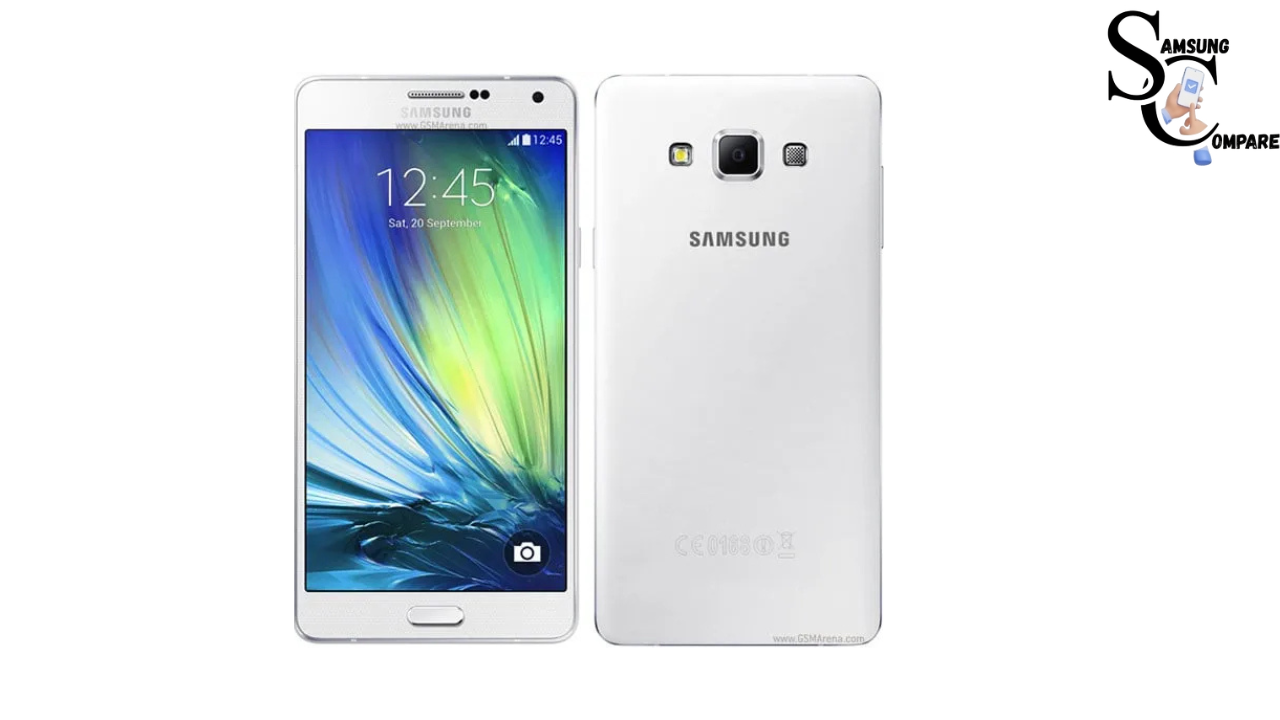
The Galaxy A7, from 2015, is like a sentence that’s still perfectly okay to use. Actually, this Galaxy A7 phone was released by Samsung in 2015. It was a range phone, and it borrowed some ideas from other, pricier phones, such as a thin metal body and an especially good display. The Galaxy A7 had a Super AMOLED display, which is very nice, to say the least, for a Galaxy A7 phone. The Galaxy A7 was surprisingly a phone. Back when many other phones used flexible bodies, the Galaxy A7 (2015) offered something premium in terms of embedding.
Quick specs at a glance
| Item | Specification |
| Release | Early 2015 (announced January 2015) |
| Model numbers | SM-A700F / A700H / A700FD (region dependent) |
| Display | 5.5-inch Full HD Super AMOLED (1920×1080) |
| Processor | Qualcomm Snapdragon 615 or Samsung Exynos octa-core (market dependent) |
| RAM | 2 GB |
| Storage | 16 GB + microSD |
| Battery | 2600 mAh (non-removable) |
| Rear camera | 13 MP |
| Front camera | 5 MP |
| OS at launch | Android 4.4 KitKat (upgradable to Android 6.0.1 Marshmallow) |
This table is your compact feature vector, the inception inputs we’ll use to approximate modern performance, longevity, and real-world suitability.
Why read this guide?
You will find a lot of reviews where people just talk about the launch specs and whether something is good or bad. This guide is entirely detailed. You may use this guide for a long time, even in 2026, because there are a lot of good things to talk about. Will talk about some facts; also, we will do some tests you can do if you want to buy a used one. We will discuss what you could expect from the battery, the camera, and so on. We will also talk about how easy it is to fix things and whether you should buy this phone or not. Now, let’s talk about the important things to consider: display quality, the battery quality, how fast it is, the camera, whether the software is safe, whether you can find a segment for it, etc. And after you consider all those things, you will get a final recommendation.
Design & build quality
High-level summary (signal): At launch, the Galaxy A7 (2015) was designed to signal premium aesthetics in the mid-range segment. The metal frame, slim profile (~6.3 mm), and overall lightness were differentiators.
What still holds up
- Metal frame: The A7’s metal surround still conveys a premium tactile experience compared to many cheaply manufactured used phones. It’s a robust mid-range build.
- Slim physical profile: The phone remains pocket-friendly and easy to handle for most users.
- Lightweight: Low mass gives a pleasant daily carry experience; it’s comfortable for long calls and media consumption.
What to watch for
- Cosmetic wear: Scratches, scuffs, and small dents are common. These are mostly cosmetic but can indicate drops that may have affected internal components.
- Loose buttons: After years of servicemen using the power and volume buttons may lose their crispness or feel loose. This is a mechanical failure mode you should test during inspection.
- Water exposure: The A7 (2015) has no official IP water resistance. Corrosion, discoloration, or residues near the SIM tray or ports are red flags for water damage.
Practical advice (feature test): Visually inspect the frame for bends or warping, press the side buttons to check for tactile feedback, and examine the SIM tray and charging port for corrosion fragments or greenish residue.
NLP metaphor: think of the exterior as the phone’s input tokenization; if the tokens are mangled, the internal presentation (functionality) may be affected.
Display
Signal summary: The best aspect of the A7’s longevity is probably the Super AMOLED panel. Even a well-used panel maintains vibrant colors and deep black levels that are superior to many budget options.
Why it still matters
- Vibrant color reproduction Delivers Patronizing subjective viewing for videos and images.
- Full HD density (1920×1080) on 5.5 inches yields crisp text and interface elements even today.
- Contrast and blacks: AMOLED retains deep black measures that give a sense of higher image quality.
Checks to run
- Burn-in test: Display a full white screen and inspect for ghosted elements to look for a faint outline of the status bar, navigation keys, or persistent UI elements. AMOLED burn-in occurs when pixels prostitute at different rates; it’s permanent and the most serious display issue for A7 buyers.
- Evenness and dead pixels: Display solid white and black images and view at various angles. Any dark dots or irregular brightness are signs of dead pixels or subpixel failure.
- Touch responsiveness: Swipe across the entire display and test multi-touch; lag or dead zones indicate digitizer issues.
Verdict: For media consumption, the A7’s screen is still a key buying justification provided there’s no dreadful burn-in or large numbers of dead pixels.
Performance
Two hardware distributions
- Snapdragon 615 (widely used in various regions)
- Exynos octa-core (region dependent)
Both variants were mid-range in 2015 and partnered with 2 GB RAM, which is the main bottleneck in 2026.
Practical performance today
- Light daily tasks calls, SMS, email, and light web browsing remain acceptable.
- Social apps basic social media use and messaging are usable but can feel sluggish when switching between many modern apps.
- Heavy apps/games modern 3D games or multi-threaded heavy apps will struggle or be unusable.
- App compatibility Some modern apps and services assume newer runtime environments and may be moderately restricted or less functional.
Performance checks to run
- Open multiple mainstream apps (e.g., browser, Gmail, Facebook/Instagram/Messenger) and switch between them to test memory pressure.
- Run a light benchmark if you have a tool but note that benchmark numbers are less relevant than real-world responsiveness.
- Observe thermal behavior: prolonged load generate thermal throttling is a sign of age and can reduce peak performance.
Practical tip: If smooth multitasking is essential, do not buy. The 2 GB RAM and mid-2015 CPU constrain the device for modern heavy usage.
NLP metaphor: consider the CPU+RAM as your inference engine; given modern model sizes (app complexity), the A7’s parameter budget is tiny, so it can only run lightweight models.
Camera performance
High-level summary: The hardware is not extensive for today’s standards. While the 13 MP rear sensor can take good pictures in daylight, its capabilities are limited compared to today’s technology.
Rear camera
- Daytime captures: Decent detail and color fidelity under good lighting.
- Dynamic range: Limited. Bright highlights and deep shadows may clip; HDR results are modest due to older algorithms.
- Autofocus: In bright position, it’s passable; low light autofocus slows down.
Low-light & night
- Noise: High noise levels compared to modern sensors and multi-frame noise reduction.
- Detail: Softening and lack of fine texture detail at higher ISO settings.
- Focus: Slower and less reliable.
Front camera
- Video calls & basic selfies: Adequate. Not serrated by modern selfie standards.
- Low-light selfies: Soft and noisy.
Practical photo tests to run
- Take daylight samples with the default camera app. Inspect edges and detail crops.
- Take low-light shots to assess noise handling and focus speed.
- Test HDR by shooting scenes with high dynamic range (backlit subjects).
Verdict: Buy only if camera quality is not a top priority.
NLP metaphor: the camera’s sensor is the input data source; older sensors produce lower-quality feature representations which resulting processing (ISP) cannot fully reconstruct.

Battery life & charging
Baseline: 2600 mAh non-removable battery at launch. In 2026, original batteries will almost certainly have reduced capacity.
What to expect now
- Shortened screen-on times: Original batteries often yield poor SOT sometimes 2–3 hours depending on usage.
- Standby drain: Higher than contemplate as cells degrade and background processes misbehave on old ROMs.
- Charging speed: No modern fast charging; charge rates are slow by current standards.
Checks and pre-purchase tests
- Ask the seller about battery replacement, who replaced it and when.
- Observe charging behavior, plug it in and see if it charges normally; excessive heating is a red flag.
- Physical inspection for swelling check if the back panel bulges or the display lifts.
Replacement considerations
- Cost to replace battery: Factor a local replacement price into total ownership cost.
- Battery health signs: Rapid percentage drops, shutdowns above zero percent, or unusually long boot cycles are corroboration of cellular degradation.
Example rule of thumb: If you see 2–3 hours of screen-on time on an original battery, plan to replace the battery for normal daily experience.
NLP metaphor: think of battery capacity as available compute budget if the budget is low, your runtime (daily usage) is constrained.
Software & update history
Software baseline: Launch with Android 4.4 KitKat; many units upgraded to Android 6.0.1 Marshmallow. Official updates and certainty patches ended years ago.
Implications today
- App compatibility: Some modern apps require newer Android frameworks; they may not install or may lose features.
- Security: No official security patches risky for banking, commerce, and storing sensitive data.
- Custom ROMs: Community-built ROMs (e.g., on XDA) may provide newer Android versions, but installing the essential technical skill, and they have varying levels of polish and security guarantees.
Recommendations
- Avoid using it for banking unless you can install a trustworthy, up-to-date ROM and you understand the risks.
- If you’re tech-savvy: explore custom ROMs but validate the source, read community feedback, and backup data.
NLP metaphor: the OS is the runtime environment; old runtimes lack security patches and modern APIs, reducing compatibility with newer inference pipelines (apps).
Longevity, repairs & parts availability
Parts situation (2026): Parts availability varies by region. Third-party repair shops commonly support battery and screen replacements. However, mainboard and specialized components are harder and costlier to source.
Common repairs and difficulty
- Battery replacement: Moderate difficulty not user-removable but local shops can swap it.
- Screen replacement: Moderate to easy; quality of replacement screens varies (some look dull or lack original AMOLED contrast).
- Back cover/frame: Replacement parts breathe but in some regions can be rare or inconsistent.
- Mainboard / complex failures: Hard and costly; usually not worth repair for an old phone.
Tips for buyers
- Ask for receipts for any recent repairs or part replacements.
- If no receipts, assume third-party parts were used and price accordingly.
- Check local repair rates for battery and screen replacement before purchasing to evaluate total cost of ownership.
NLP metaphor: when parts are scarce, the device’s maintainability score drops analogously to a model with unreproducible weights.
Pricing guidance how to value a used Galaxy A7 (2015)
Pricing is region and condition dependent. Use this guidance to build a valuation model.
Price factors
- Battery condition: Replaced battery units command a premium.
- Screen health: Displays without burn-in or dead pixels are worth more.
- Cosmetic Condition: Minimal wear improves value.
- Accessories and documentation: Original charger, box, and receipts add value.
- Comparable used phones: If the price approaches that of newer used phones (2016–2018), prefer the newer model.
Rule of thumb: If the used A7 is priced close to newer used phones with better specs (e.g., 2016+ models), skip it. The incremental cost for an advanced used model usually yields materially improved performance and security.
Negotiation tip: Use specific test failures as bargaining chips (e.g., “screen shows burn-in I’ll offer X less to cover replacement cost”).
Galaxy A7 (2015) vs Galaxy A7 (2016) a short comparative classifier
Why consider the 2016 model
- Better performance in some configurations.
- Improved cameras and slightly larger collection in many cases.
- Softer depreciation curve the later model ages better relative to the 2015 unit.
If your budget allows, prefer the 2016 model for better overall longevity and bang-for-buck.
Who should buy the Galaxy A7 (2015)? Decision boundaries
Buy if:
- You want a cheap AMOLED phone for light tasks.
- You like the slim metal design and can accept older software.
- You buy it very cheaply or buy a refurbished unit with a new battery.
Skip if:
- You need modern security updates (banking).
- Camera quality and gamble performance matter a lot.
- You need long battery life without planning a replacement.
Use-case scoring (brief):
- Secondary phone for calls/music: Good (if battery replaced).
- Media player for videos: Good (display strong).
- Learning phone for kids: Acceptable (cheap, but avoid banking apps).
Practical examples & use cases
- Secondary phone for travel or local SIM use: If you want a backup to avoid nomadic or to test networks, the A7’s display and lightweight frame make it fine.
- Dedicated media player: Add a microSD card for offline videos the AMOLED screen makes it pleasant for streaming and local playback.
- Learning/first phone for a child: Cheap, replaceable battery options make it a good educational device; avoid sensitive accounts and banking.
Common problems & quick fixes
- Slow performance: Clear cache, uninstall heavy apps, or perform a fresh factory reset. If that’s insufficient, hardware is limiting and replacement is the real solution.
- Poor battery life: Replace the battery at a respected shop.
- Screen burn-in: The only true remedy is screen replacement.
- App compatibility issues: Try lighter or older versions of apps; use web apps or the browser as a fallback.
FAQs
It was announced in January 2015 and released globally in early 2015.
Yes, many units were updated to Android 6.0.1 Marshmallow.
No, the battery is not meant to be user-removable, but repair shops can replace it.
Only for light use or as a very cheap secondary phone. Expect slow performance and old software.
Look for SM-A700F, SM-A700H, or SM-A700FD and confirm regional differences when possible.
Final verdict
The Samsung Galaxy A7, which was Released In 2015, has a nice design and is well put together. It also has a Super AMOLED screen that looks nice. If you were to purchase a Samsung Galaxy A7 in the year 2026, it would be best suited to be a phone that does not receive much use. The Samsung Galaxy A7 from 2015 can be used for something like watching videos or browsing the net, but it has to have a good battery and screen. The Samsung Galaxy A7 has a few cons, such as the control system not receiving updates to keep it safe, a lack of memory to run many things at a time, and a battery that, in the year 2026, is getting old. Within the context of a choice between the Samsung Galaxy A7 (2015) and a slightly new model (like the Samsung Galaxy A7 (2016) or (2017)), it is normally best to get the slightly new version.
